


.svg)
.svg)


.svg)

.webp)
Being a content creator isn’t just about “creating content” anymore. Today, you’re expected to come up with fresh ideas, publish consistently, engage your audience, track performance, and grow a business—all at the same time.
Quite frankly, it’s a recipe for burnout. And while many creators turn solely to content creation tools to help them, creating content is only one part of the equation. How you engage fans, understand what’s working (and what’s not), and monetize attention all influence the value of every post. That’s why the strongest creator stacks don’t focus on content creation alone; they support the entire system around it.
The challenge, however, is figuring out which ones are worth your time and which ones simply add another subscription to the pile. To help you out, we’ve compiled a list of the 10 best content creation tools worth adding to your creator stack, covering everything from research and ideation to fan engagement and monetization.
The 10 Best Content Creation Tools Every Creator Needs
Whether you want to create, organize, engage, monetize, or grow, there’s a tool here to help. Let’s dive in!
Fan engagement, monetization & creator business management
Content gets attention. These tools help you turn that attention into stronger fan relationships, higher earnings, and a creator business that doesn’t rely on you constantly chasing new views.
1. Fanvue – Best all-in-one creator platform

Fanvue is a creator subscription platform that brings content creation, fan engagement, monetization, analytics, and creator tools into a single ecosystem.
When you want to turn audience attention into revenue, Fanvue gives you multiple ways to do it. You can offer subscriptions, share exclusive content, sell direct access, and build premium communities around your most engaged supporters. Plus, you keep 85% of your earnings. The result is a business that’s less dependent on algorithms, brand deals, and unpredictable platform payouts.
Fanvue keeps up as your fanbase grows and demand for interaction increases. Its AI Voice Notes, AI Voice Calls, and AI Message Responder help you stay responsive and connected at scale without needing to be available 24/7.
On top of that, the Fanvue App Store gives you access to creator-focused apps built specifically for the platform, spanning AI content creation and scheduling to fan engagement, automation, analytics, and revenue optimization. Creators can even build their own apps if a tool they’re looking for doesn’t yet exist.
Whether you create fitness, travel, education, or AI content, if you’re looking for just one tool to build deeper fan relationships, increase earnings, and create a more sustainable creator business, Fanvue offers the most complete creator ecosystem available.
Pros
- Gives you more control over monetization
- Strengthens connections with your most engaged fans
- Access to creator-focused apps that support growth, engagement, and operations
Cons
- Not a discovery platform for audience growth
- Requires an engaged audience to generate meaningful income
Pricing
Free to join as a creator. You keep 85% of your earnings, while Fanvue charges a 15% revenue share and no monthly subscription fee.
2. Discord – Best for community building
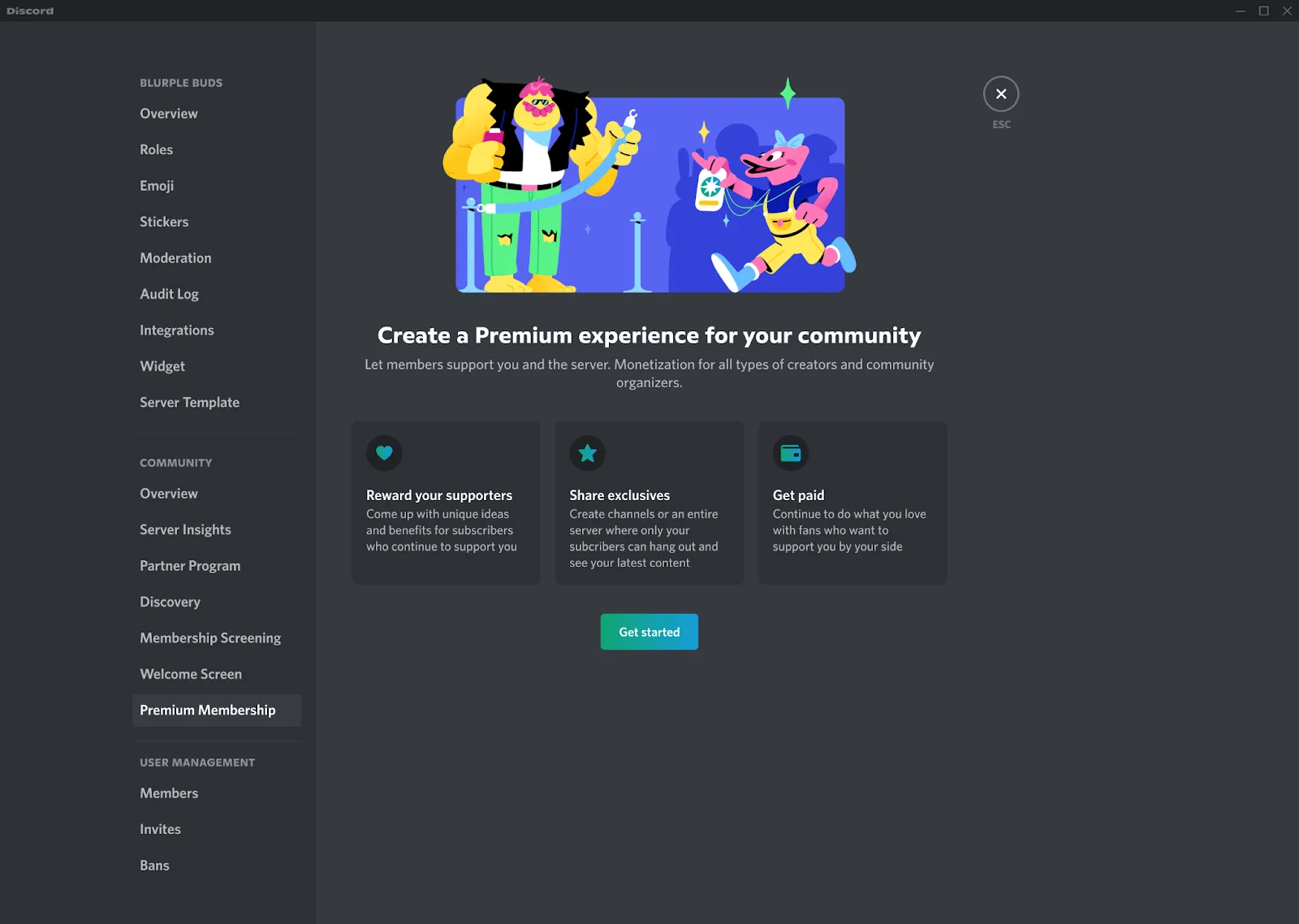
Discord started out as a gaming chat app but has grown into a popular community-building tool for creators. If you’re looking for a way to bring your most engaged followers together, Discord gives you a space away from fast-moving social media feeds.
You can host discussions, organize conversations into topic-specific channels, share exclusive content, host Q&As and live events, and create private communities for paying members.
Discord’s biggest advantage is that conversations don’t depend on you being online. Your fans build relationships with each other, keeping your community active between content releases and making engagement less dependent on your next post.
As such, Discord works best for educators, coaches, gaming creators, niche hobby creators, and those whose communities thrive on ongoing participation, not just content consumption.
Pros
- Gives you a direct line to your community outside social media algorithms
- Fan-to-fan relationships can strengthen loyalty and retention
- Organized channels make even large communities easier to manage
Cons
- Doesn’t help much with audience discovery or growth
- Requires active moderation as your community expands
- Maintaining engagement requires ongoing effort
Pricing
Free plan available. Premium tiers start at $2.99/month.
Content ideation, planning & writing
Consistency is a lot easier when you’re not reinventing the wheel every time you sit down to create. These tools help you find ideas faster, plan ahead, and keep momentum on your side.
3. Google Trends – Best for content research
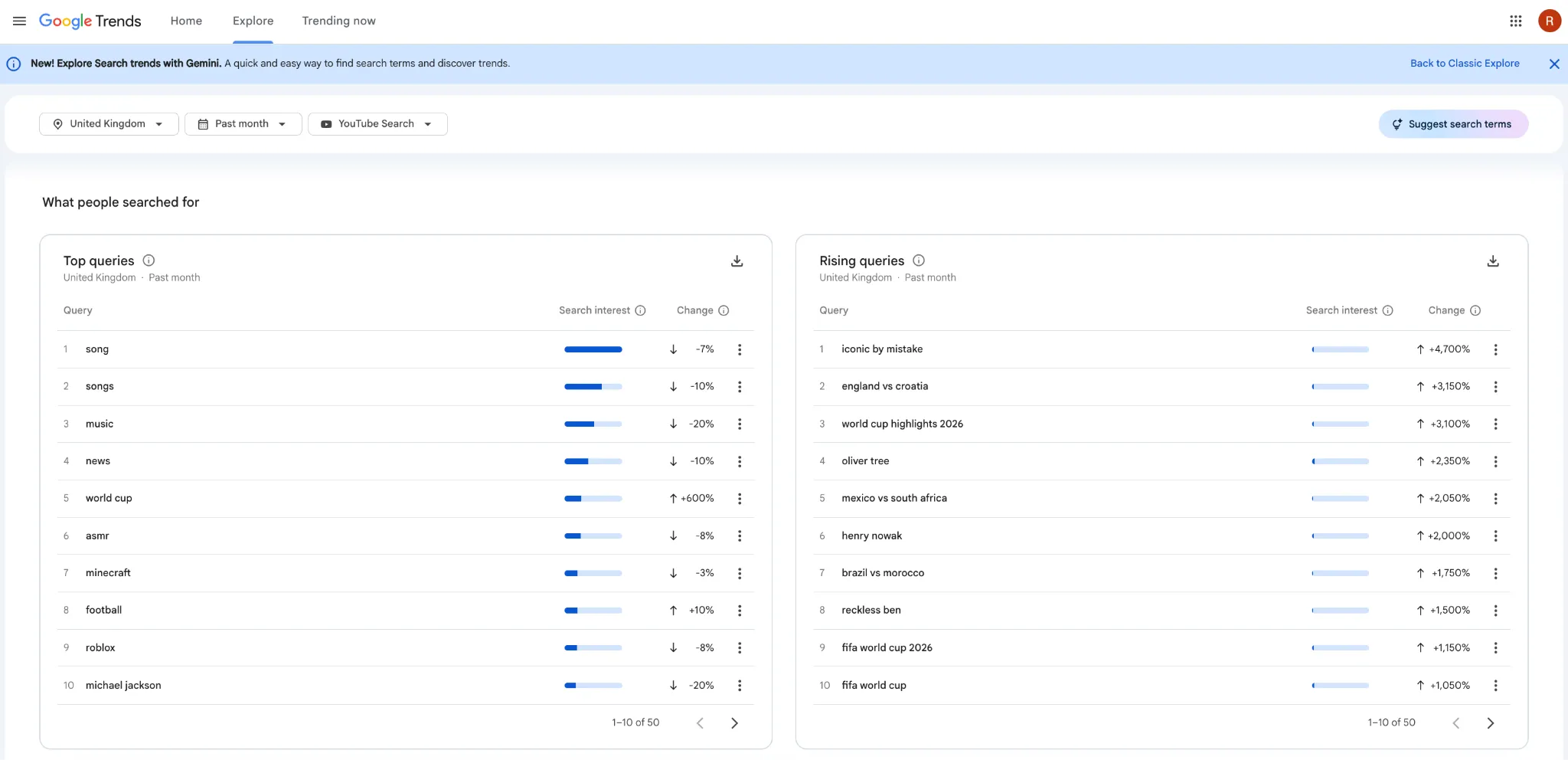
Google Trends helps you discover what people are interested in before you create. It’s one of the simplest ways to take the guesswork out of content planning. By showing you what people are actively searching for, it allows you to validate content ideas, uncover related topics, compare angles, and spot opportunities you might’ve otherwise missed.
It also shows how interest in a topic changes over time, making it easier to spot rising trends and see when interest starts to fade. That means you can focus your time on ideas with the strongest potential instead of relying on instinct or yesterday’s trends.
Google Trends is a natural fit for educational creators, commentators, marketers, finance creators, and anyone creating content around trends, insights, tutorials, or emerging topics.
Pros
- Provides data from one of the world’s largest search engines
- Helps avoid investing time in topics with little interest
- Surfaces emerging trends before they become saturated
Cons
- Can be misleading for very niche topics with low search volume
- Google search trends don’t always reflect TikTok or Instagram trends
- Provides insights but leaves the interpretation up to you
Pricing
Free.
4. ChatGPT – Best for content ideation & writing
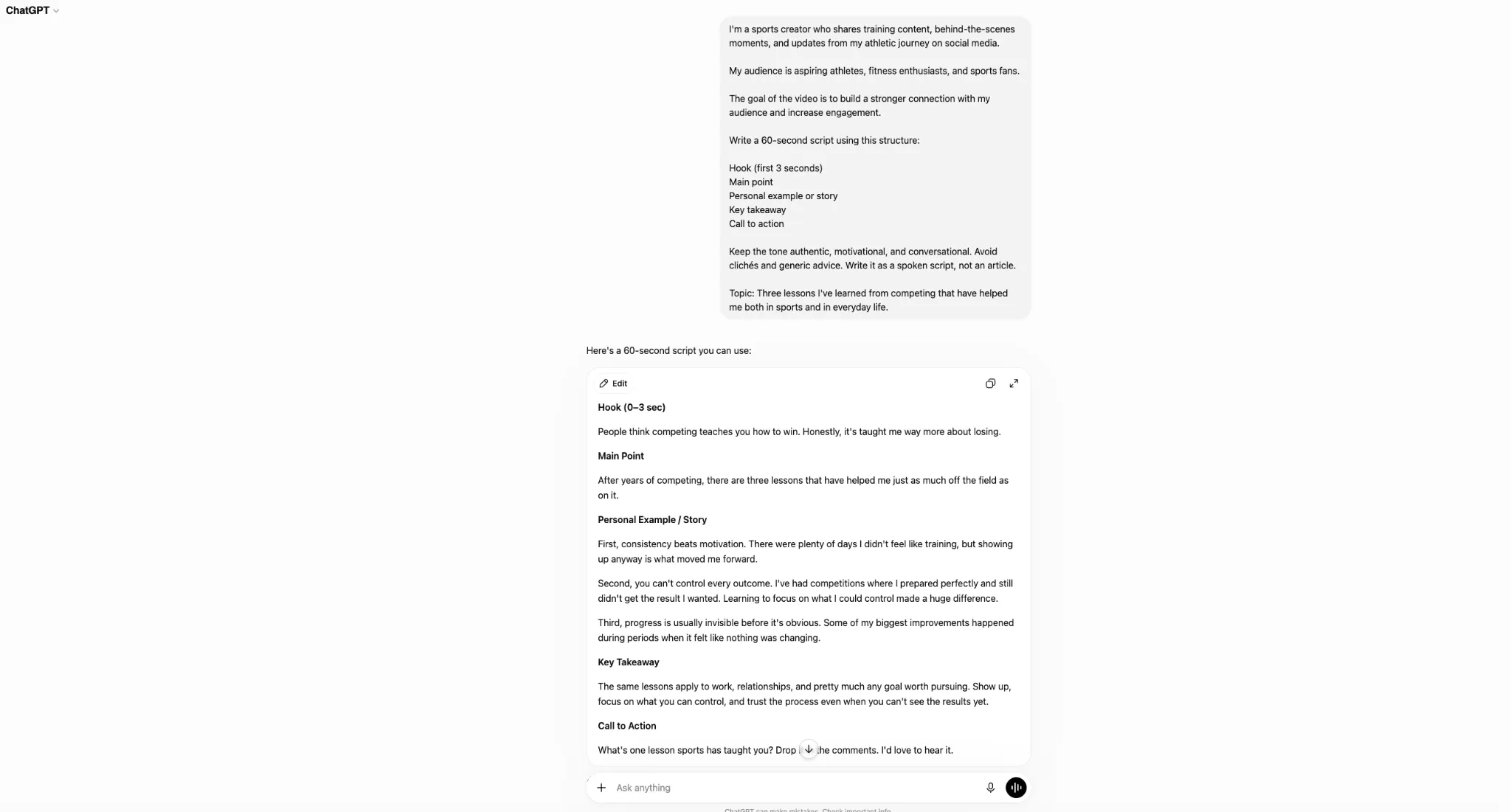
ChatGPT is an AI assistant that can support almost every stage of the content creation process, from brainstorming ideas and researching topics to creating outlines, captions, scripts, first drafts, repurposed content, and entire content calendars. It’s especially well-suited to creators whose work starts with words, such as vloggers, podcasters, or social media influencers.
For many creators, ChatGPT helps prevent creative bottlenecks. You don’t have to stop every time you need a new idea, a stronger hook, or a better caption. Instead, you can keep the creative process moving and spend more time refining your content than staring at a blank page.
The biggest benefit isn’t replacing your creativity—it’s giving you more time to use it. By taking care of much of the planning and first-draft work, ChatGPT frees you up to focus on the perspective, personality, and audience relationships that make you stand out.
If you’re struggling to keep up with the demands of consistent content creation, ChatGPT can help lighten the workload behind every post.
Pros
- Can adapt to different formats and platforms
- Helps overcome creative blocks and idea fatigue
- Reduces the workload behind consistent content creation
Cons
- Output still requires human review and editing
- Learning how to prompt effectively takes practice
- Can struggle to replicate your unique voice and perspective
Pricing
Free plan available. Plus starts at $20/month.
5. Notion – Best for content planning & organization
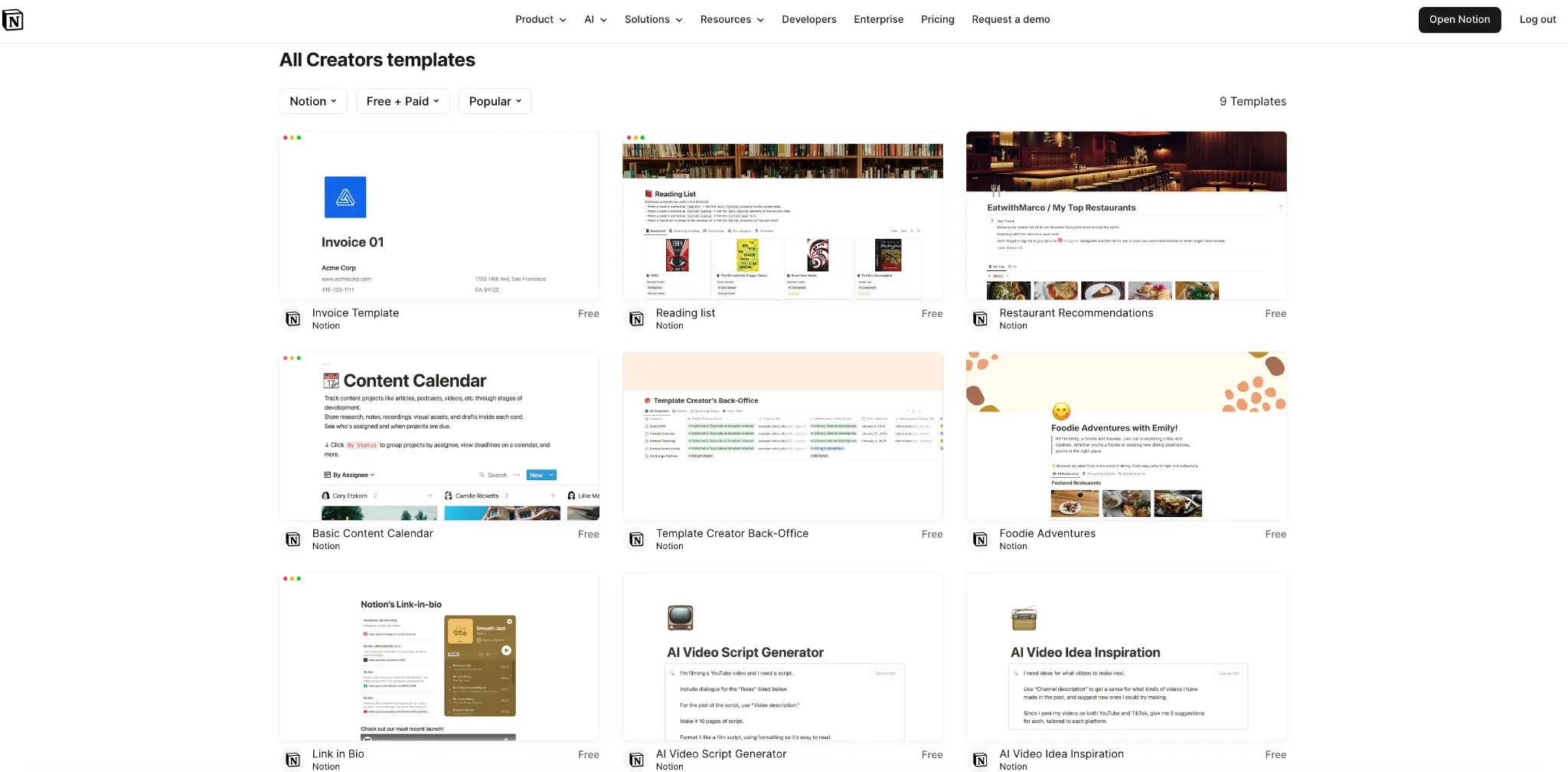
Notion is a digital workspace that organizes the business side of creating content. You can use it to store ideas and research, build content calendars, track sponsorships, and document processes without jumping between multiple tools.
Its biggest strength is its flexibility. Notion doesn’t lock you into a predefined workflow—it gives you the freedom to build a workspace around the way you create, whether that’s a simple content planner or a more advanced system that grows alongside your creator business.
Notion can be useful for any type of creator. If you’re managing multiple content channels, taking on more partnerships, or want a better way to stay organized, it gives you a central hub to stay on top of it all without feeling buried in admin.
Pros
- Large library of creator templates and community-built resources
- Flexible enough to support everything from content calendars to full business operating systems
- Replaces multiple tools for notes, task management, project planning, and documentation
Cons
- Initial setup can be time-consuming
- Mobile experience isn’t as polished as desktop
- More advanced systems come with a learning curve
Pricing
Free plan available. Paid plans start at $12/month for individuals. Team and enterprise plans are also available.
Design, video editing & AI content support
Content quality influences everything from first impressions to watch time. These tools help you create higher-quality content without adding hours to your workflow.
6. Canva – Best for creating visual content
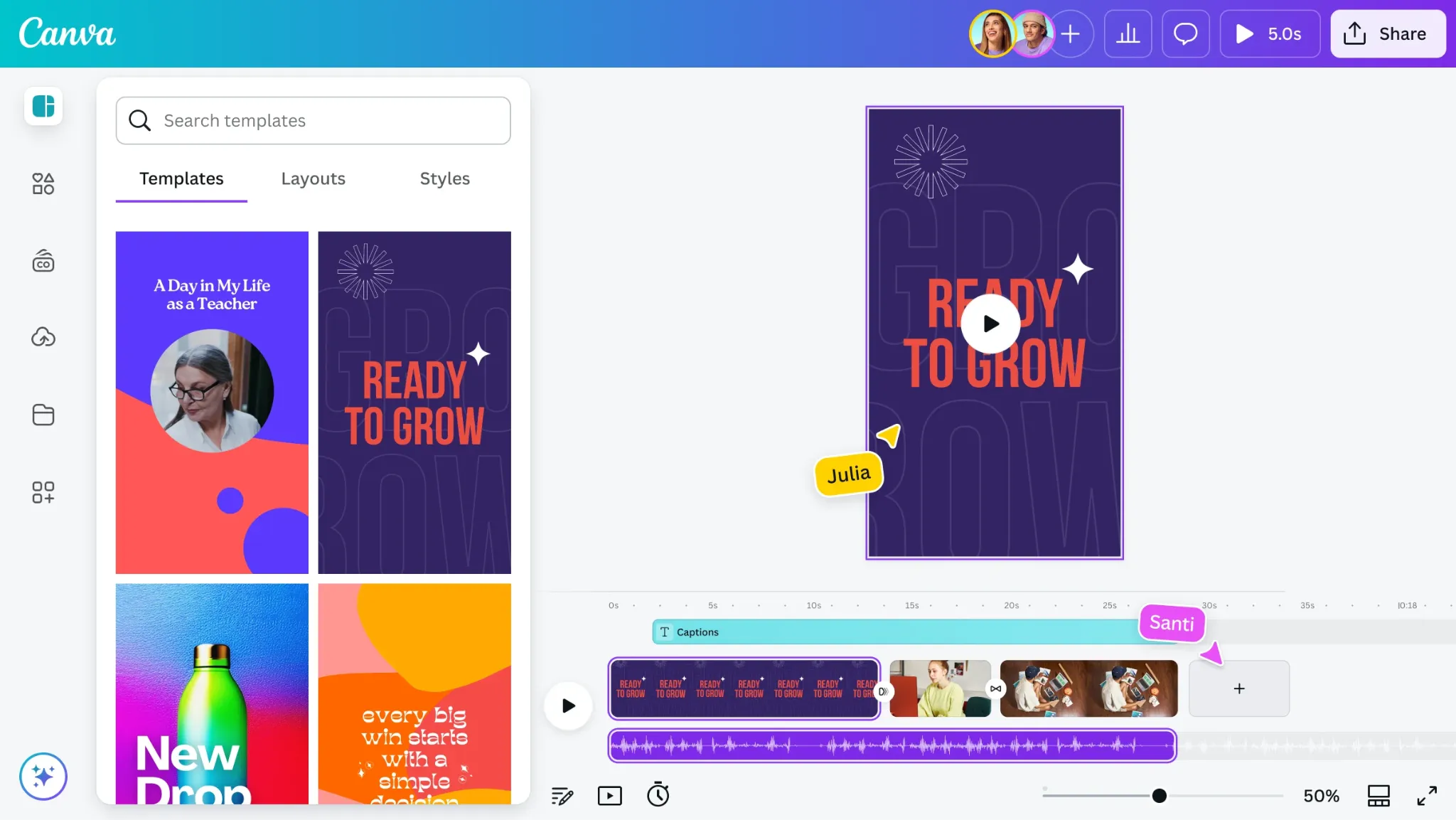
Canva is an online design tool that helps you turn an idea into something ready to post. From social media graphics to brand assets, you can create polished visuals without needing professional design experience.
What makes Canva so popular is that it removes much of the friction from the design process. Instead of starting from scratch or learning complex software, you can customize existing templates, build reusable assets, and create content that looks professional in a fraction of the time.
Canva also makes it easier to stay visually consistent as you create more. Brand Kits, templates, and shared asset libraries help keep your branding from drifting, so your audience knows it’s your content before they even see your name.
If you’re creating content regularly and need high-quality visuals without hiring a designer, Canva offers one of the simplest ways to level up your content.
Pros
- Huge library of templates and design assets
- Makes professional-looking design accessible to non-designers
- Supports graphics, presentations, documents, and video
Cons
- Popular templates can make content feel less unique
- Advanced design capabilities are more limited than professional software
- Many premium assets require a paid plan
Pricing
Free plan available. Canva Pro starts at $15/month.
7. CapCut – Best for short-form video editing
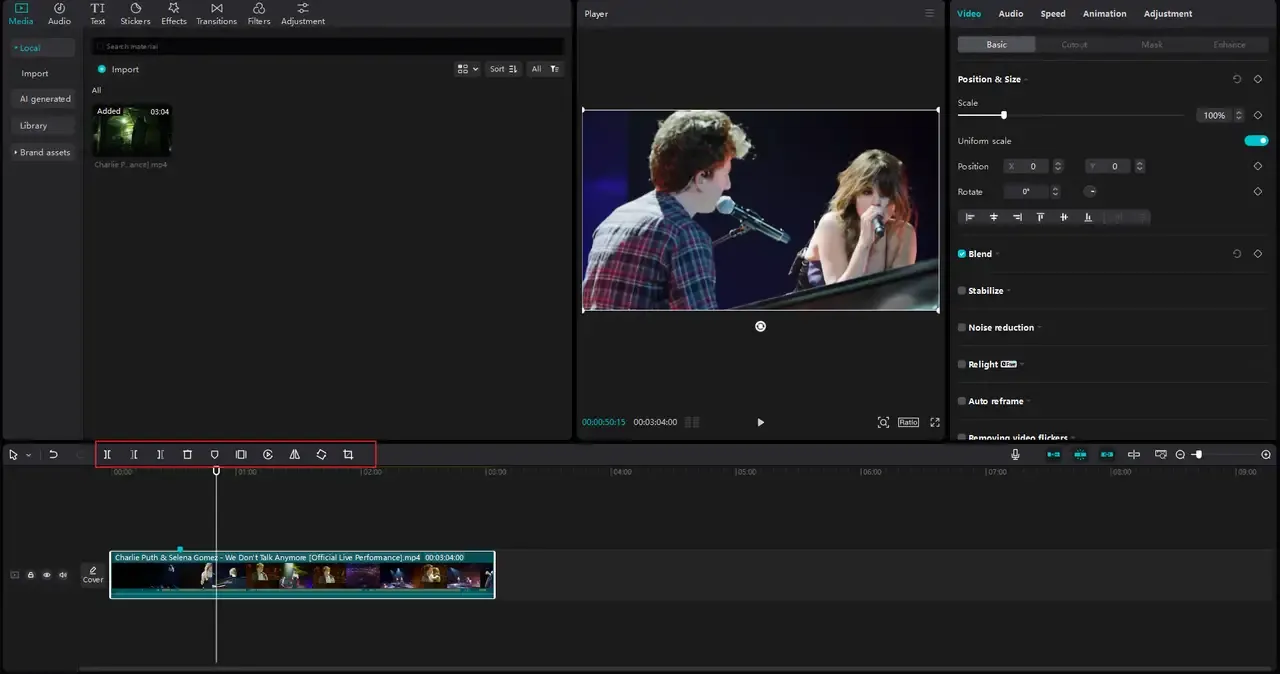
CapCut is a video editing platform that makes it easy to keep up with short-form content editing. You can use it to edit clips, add captions, apply effects, create transitions, and turn longer videos into Reels, Shorts, or TikToks from both desktop and mobile.
As you publish more short-form content, editing can become just as demanding as filming. What makes CapCut stand out is its balance between simplicity and capability. Its auto-captioning, templates, and AI-powered editing tools help you move through that process faster. Plus, the beginner-friendly interface also keeps the learning curve low without limiting what you can create.
If you create talking-head videos, educational content, commentary, tutorials, or other short-form formats where editing plays a major role in viewer retention, CapCut is hard to beat.
Pros
- Makes advanced editing techniques more accessible
- Fast, beginner-friendly editing workflow
- Available on both mobile and desktop
Cons
- Popular templates can make your content feel less distinctive
- Some export options and features are reserved for paid plans
- Advanced editing projects may outgrow its capabilities
Pricing
Free plan available. CapCut Pro starts at $19.99/month.
8. Descript – Best for editing spoken content
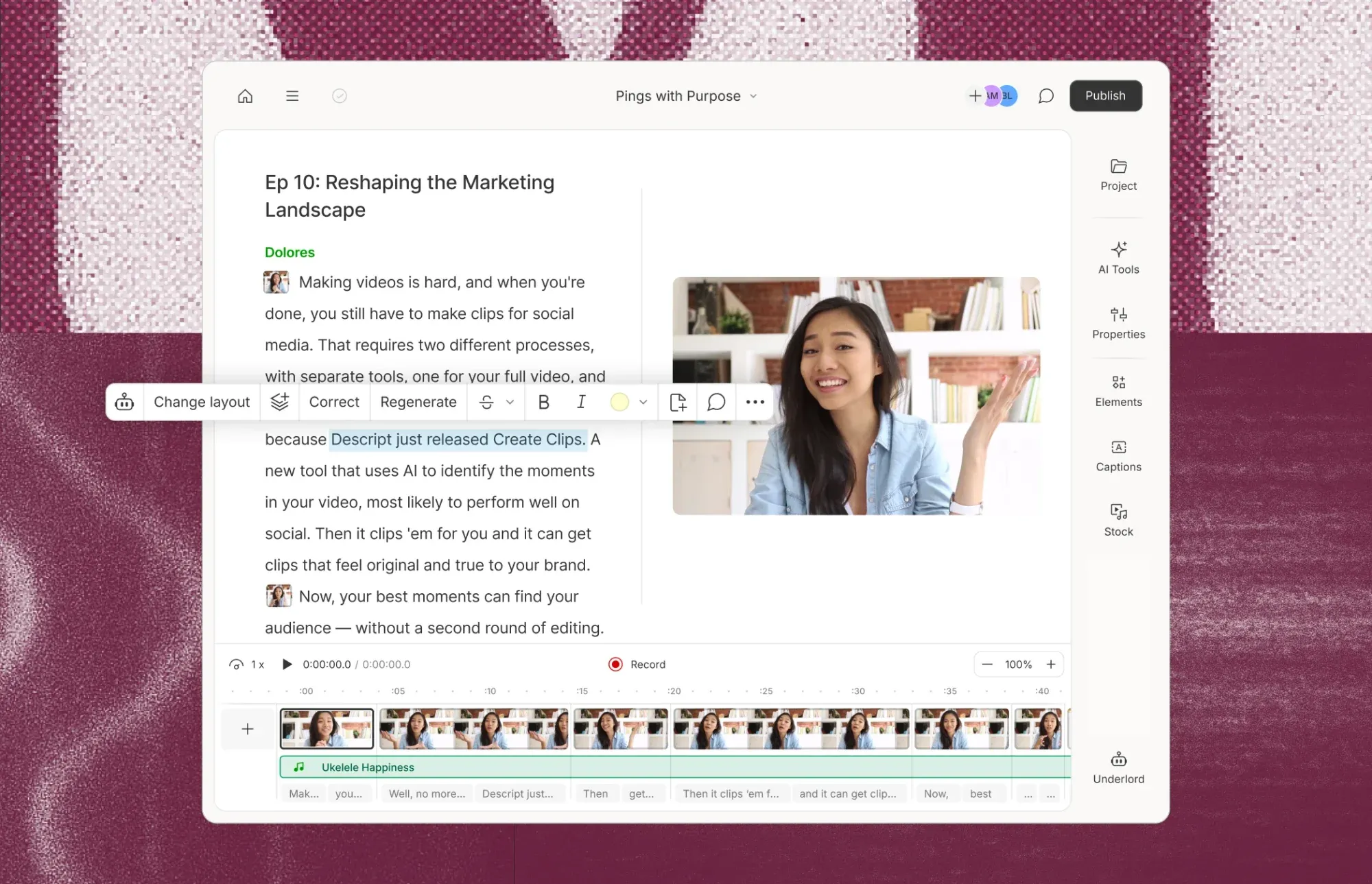
Descript is an audio and video editing tool. It combines transcription, editing, captioning, recording, and repurposing tools in a single workspace, making it easier to create podcasts, interviews, webinars, tutorials, and other long-form content.
What sets Descript apart is its text-based editing approach. It replaces the traditional editing timeline with a transcript, allowing you to edit your audio and video as you would a document. That keeps the focus on your message, especially when you’re working with longer recordings.
If you produce content that centers on conversations or spoken explanations where clarity matters more than advanced production effects, Descript can help you present them at their best.
Pros
- Highly accurate transcription tools
- Replaces multiple production tools with a single workflow
- Makes it easier to turn 1 recording into multiple content assets
Cons
- Larger projects can take longer to process
- Less flexibility for advanced editing and production work
- Subscription costs can increase as your content volume grows
Pricing
Free plan available. Paid plans start at $24/month.
Scheduling, publishing & analytics
Posting consistently is important, but understanding what happens after you hit “publish” matters just as much. These tools help you do both.
9. Buffer – Best for content scheduling
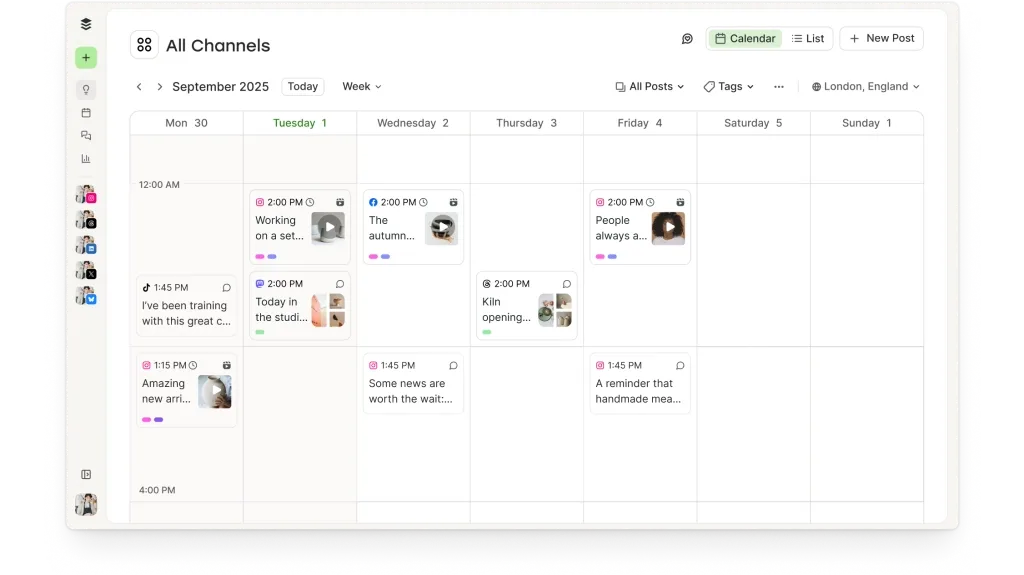
Buffer is a social media scheduling tool that keeps your publishing schedule running without interrupting your day. You can schedule content in advance, build publishing queues, and manage multiple social media channels from a single dashboard.
Its simplicity is its biggest pro. Unlike many social media management tools filled with advanced dashboards and dozens of features, Buffer gives you a clean, intuitive workspace that’s easy to learn and easier to stick with, whether you’re scheduling a week’s worth of posts or a month’s.
If you’re an influencer publishing across multiple social platforms or posting frequently enough that posting everything yourself is no longer practical, Buffer is built exactly for that.
Pros
- Supports publishing across multiple social platforms
- Simple, intuitive interface
Cons
- Analytics are relatively basic compared to specialized tools
- Costs can add up quickly as you add more channels/team members
Pricing
Free plan available. Paid plans start at $6/month per social channel.
10. Metricool – Best for social media analytics
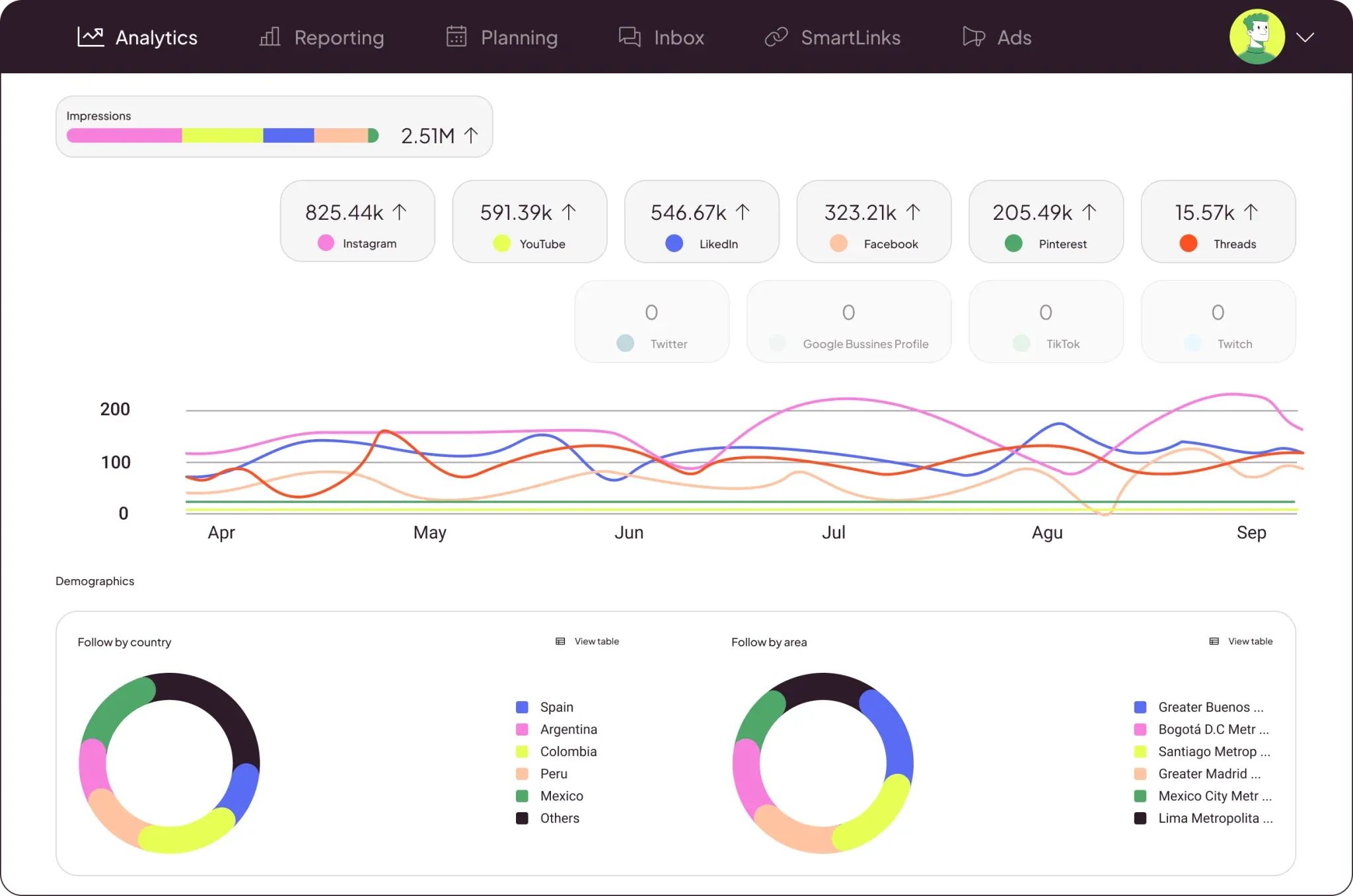
Metricool is an analytics tool that gives you a clear view of how your content is performing across all your social media platforms from a single dashboard. It brings your data together, making it easier to track performance, monitor growth, analyze engagement, and make informed decisions about what to create next.
As your content library grows, this starts to matter. You’ll no longer have to jump between each platform’s built-in analytics—you can see the bigger picture in one place while also monitoring competitor activity, benchmarking your performance, and spotting trends in your niche.
If you’ve moved beyond simply posting content and are starting to grow more intentionally, Metricool can support that next stage.
Pros
- Centralized analytics across multiple platforms
- Combines performance tracking and content scheduling
- Competitor tracking provides valuable industry context
Cons
- Steeper learning curve than simpler scheduling tools
- Some advanced reporting features require higher-tier plans
- Platform-specific publishing limitations can occasionally affect workflows
Pricing
Free plan available. Paid plans start at $22/month.
Build a Creator Stack That Works for You
Every creator’s workflow looks different, but the goal is the same: spend less time managing tools and more time creating content, connecting with fans, and building your brand.
Fanvue makes that possible. It’s the all-in-one tool to grow and manage your creator business. Alongside subscriptions, fan engagement, and monetization tools, the Fanvue App Store supports your entire workflow, giving you access to creator-focused apps for content creation, scheduling, automation, analytics, and more.




.svg)

.svg)
.svg)
.svg)
.svg)
.svg)
.svg)
.svg)